What he offers
Services, routes, difficulty and prices in one clear place.
I designed and built a services website, a content manager and a first automation for a mountain and climbing guide.
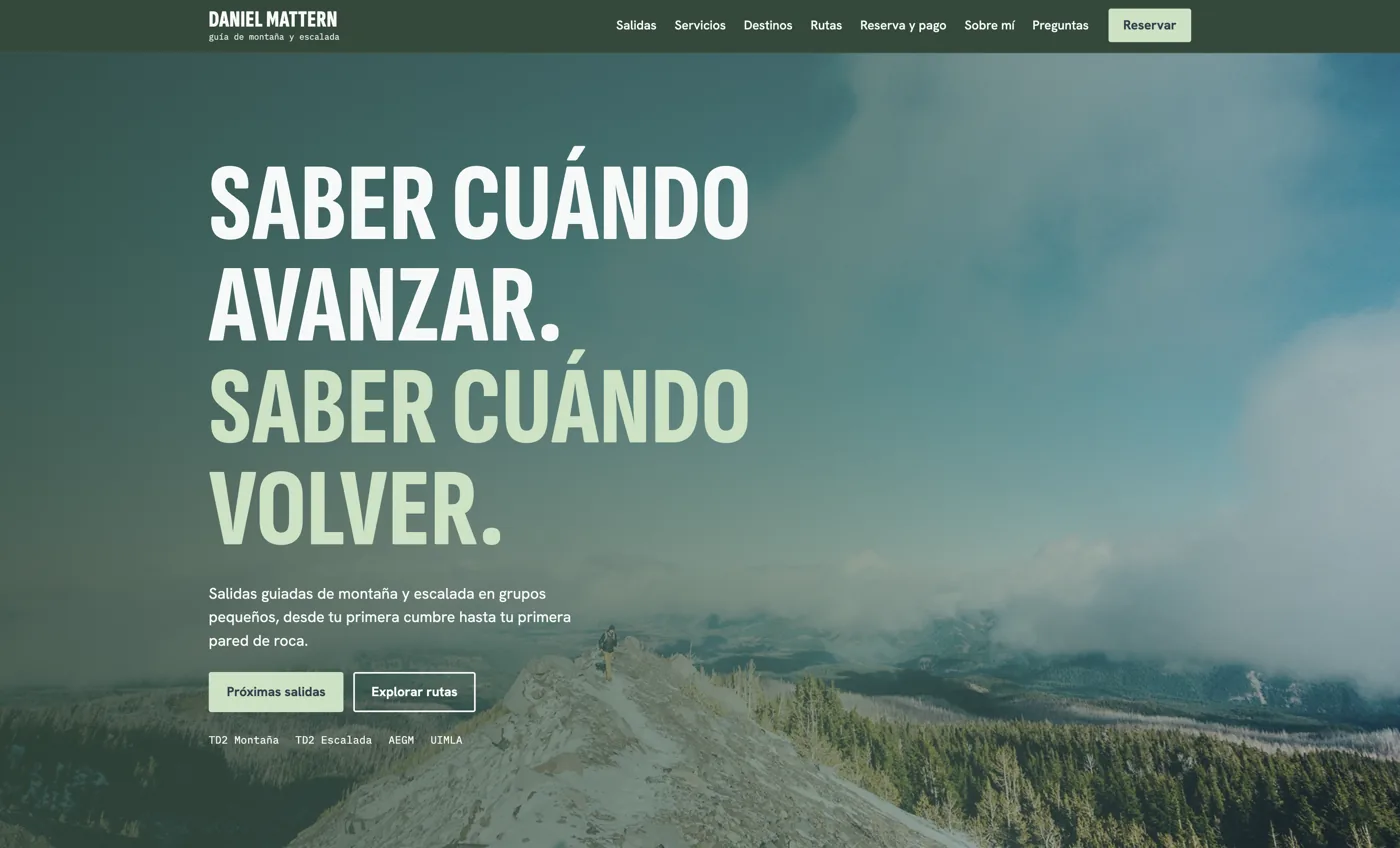
He needed to show his services, routes, booking and payment, then keep all of it up to date alone.
Services, routes, difficulty and prices in one clear place.
Change titles, dates, places and photos without touching code.
Make sure a message from the website never gets lost.
The headline and both actions fit the first screen on desktop and phone. Below them, each section answers one question a client has.
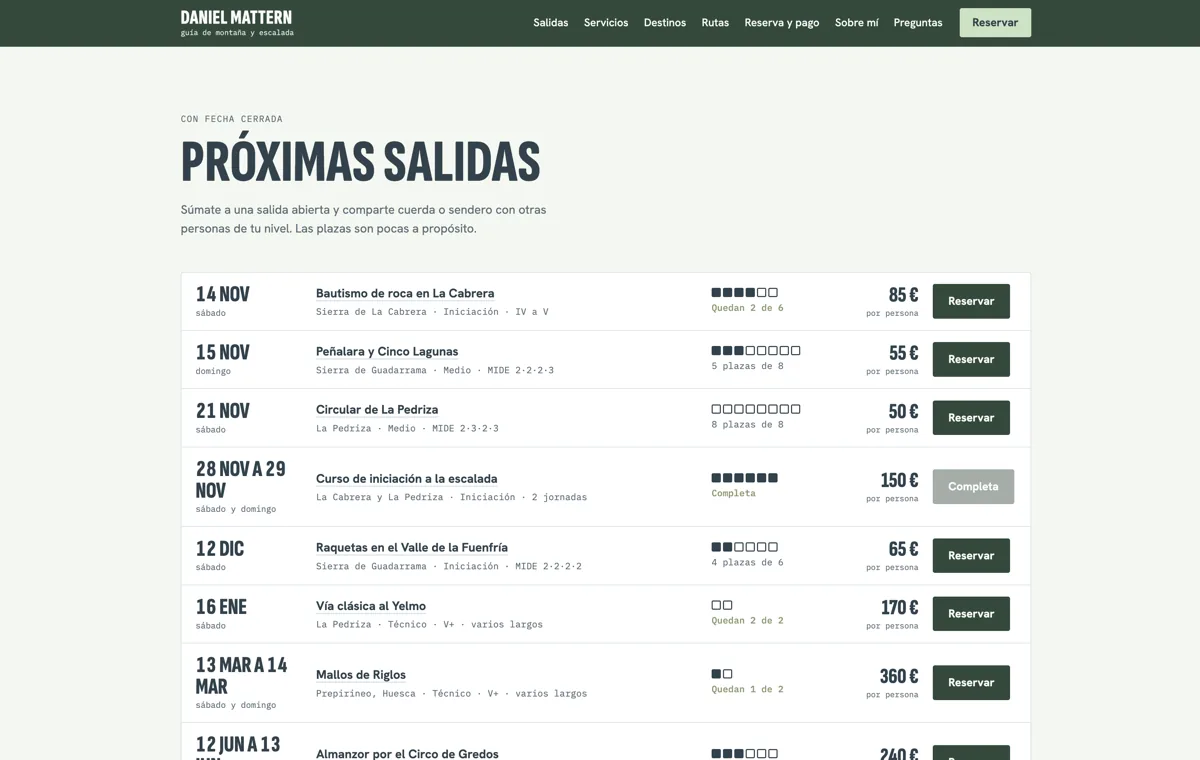
Date, difficulty, remaining places and price sit on one line, so people can compare quickly.
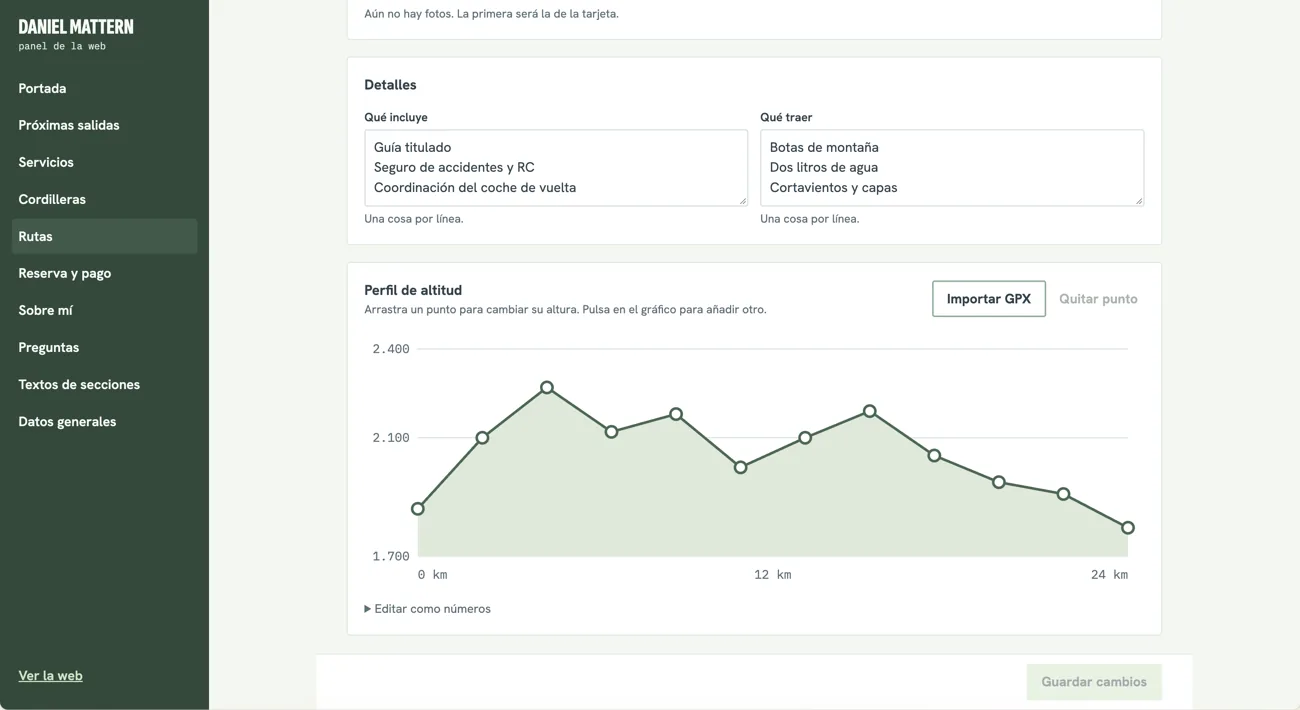
Every route shows its altitude profile, because climbers read a route by its shape.
Alpine routes came out because they’re outside his qualification.
I chose a custom panel over a generic CMS. He edits, saves, and the website updates.
The first version asked for altitudes as a list. I replaced it with a chart where he can drag a point, add one, or import a GPX file from his watch.
1830, 1905, 2020, 2130, 2290, 2428, 2300, 2150, 2120, 2040, 1930, 1830
Drag a point
Success messages offer a clear choice: keep editing or go back to the list.
Leaving with unsaved changes asks him to save first.
A range with routes can’t be deleted, and renaming it updates its routes.
My first automation turns the contact form into a simple lead list. It needs no paid tools or new inbox.
A client sends a message.
It’s saved as a new contact.
He replies from his inbox.
Tested end to end with a real message. It also filters simple spam and limits messages per hour.
Testing showed long pauses. Now text appears first, and only prices, places and booking wait for live data.
Google Drive let us prove the idea with no purchases. It’s a deliberate stepping stone, not the final setup.
Shared content, one password and photos by link. Good enough to test with the guide.
Individual sign-in, photo uploads, faster loading, real payments and automatic places.